
Manually Execute a Challenge Response Export
Exports can be scheduled to execute at a specific date and time, or on a recurring basis. You can also manually execute an export.
To manually execute an export of Challenge Responses:
-
Select Challenges from the top navigation bar, then select Challenges > Challenge Responses from the side navigation menu. The Challenge Responses screen is displayed.
-
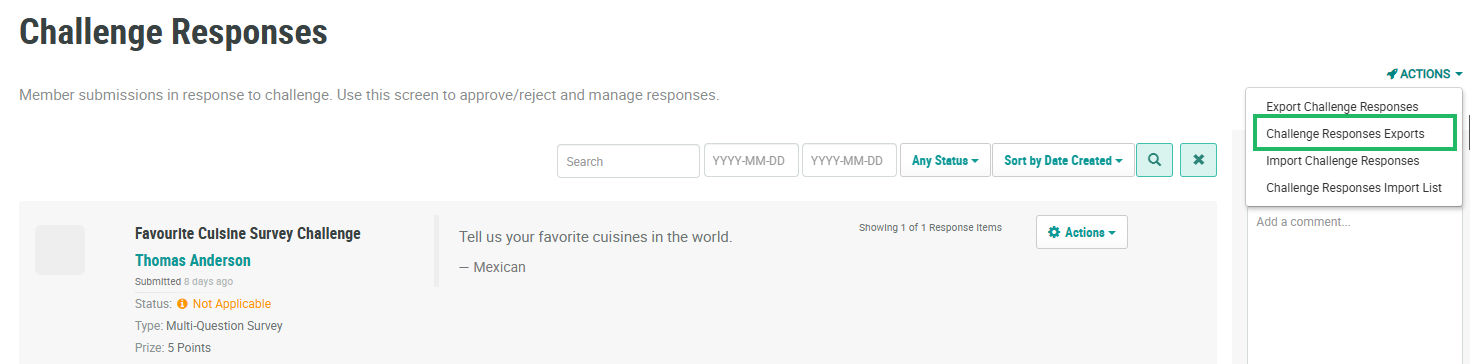
From the Actions drop-down menu, select Challenge Responses Exports. The Challenge Responses Export Definitions pop-up window is displayed and populated with a list of all existing Challenge Response Exports.
-
From the Action column of the desired export, click the Execute icon. A confirmation dialog box is displayed; click Confirm.
-
A success message is displayed. When the export is complete, you can download it (see Download a Challenge Response Export for more information).
